Go viral on purpose, not by luck.
Statly finds the exact Reels, TikToks and posts blowing up on any public account, and shows you why. Reverse-engineer the winners, post more of what actually works, and stop guessing. Free, no login, no account needed.
Featured on
Works across your platforms
Live on Instagram, TikTok, X and Reddit today. YouTube and LinkedIn are coming next.
Finding what works takes hours of scrolling.
Statly finds it in one scan.
10 million views from a single Reel
This is one of my own accounts, not a stock screenshot. One Reel broke out to 10 million views, and 98.5% of them came from people who don't even follow me. That one Reel brought in around $890 in sales, enough to cover Statly for well over a year. Finding the next one, on any public profile, is exactly what Statly is for.
1 million views from a single TikTok
This is one of my own TikTok accounts, not a stock screenshot. One TikTok took off and drove a million post views in a matter of weeks, dragging likes, shares and new followers up with it. Breakouts like this are repeatable once you can see which posts caused them, and spotting them on any public account is exactly what Statly is for.
1.5 million impressions from a single post
This is one of my own X accounts, not a stock screenshot. One post spiked to over 1.5 million impressions in a single day and kept pulling new follows all week. Breakouts like this are repeatable once you can see which posts caused them, and spotting them on any public account is exactly what Statly is for.
Get started in 3 simple steps
You install, you use. No sign-up, no password. Your first audit takes about 3 seconds.
Open Instagram, X or TikTok
Just be signed in to any one of your own accounts. Nothing to set up, nothing to configure.
Click the extension
Hit the Statly icon and your full analytics dashboard opens right there on the page.
Audit or track accounts
Run a deep profile audit to find viral content, or add accounts to your watchlist and track them.
From a single profile to your whole niche
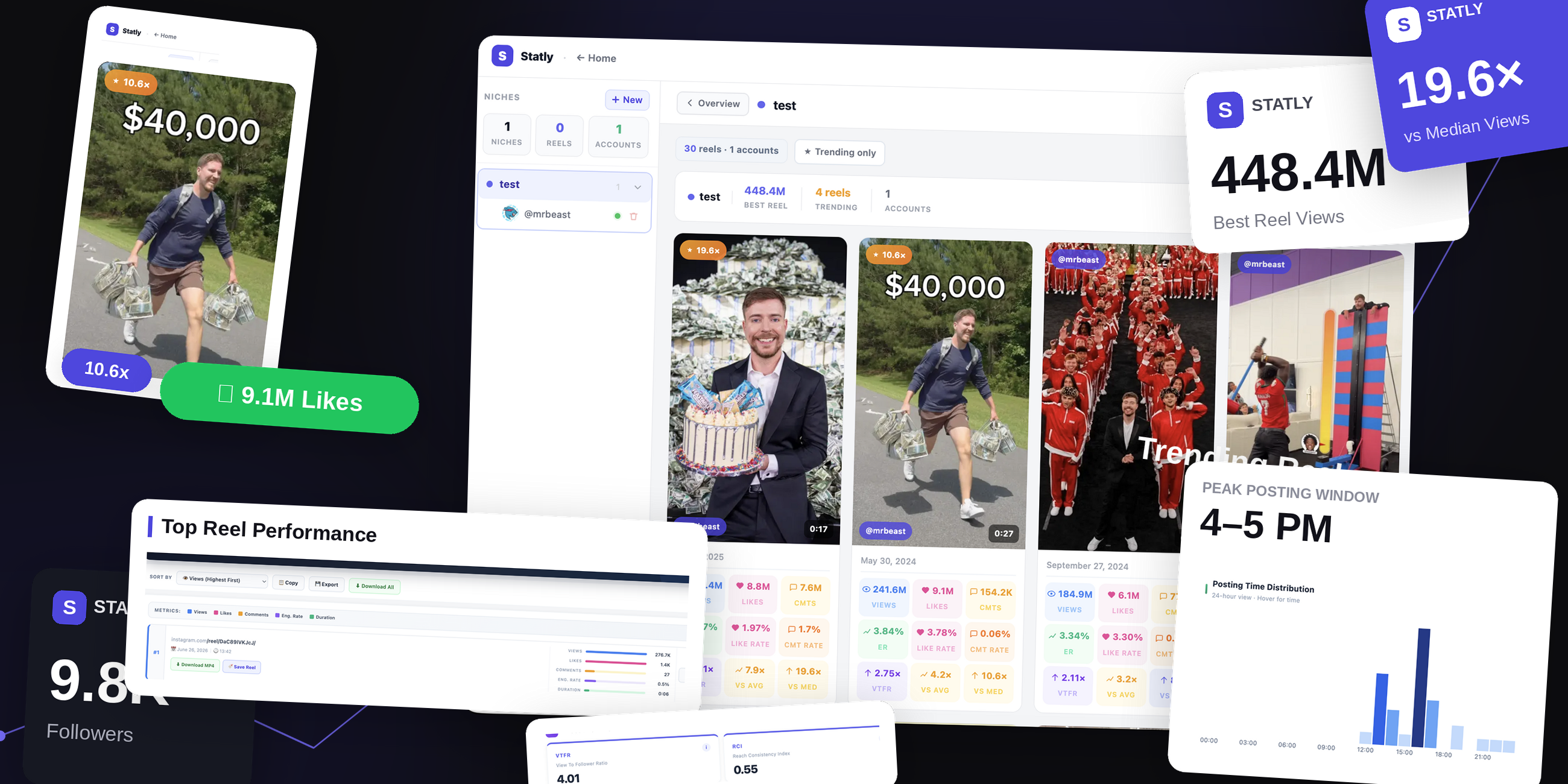
Each dashboard does one job well, on Instagram, TikTok and X. Start by auditing a creator, then scale up to comparing, tracking and spotting trends across everyone you care about.
The deepest scan of any profile
- Scan up to 300 videos or 180 days on any public account
- Every video sortable by views, likes, comments and engagement
- Executive KPIs no other tool calculates, like VTFR and Breakout Rate
- Charts for growth, posting times and performance tiers
Two profiles, side by side
- Scan two public accounts at once, laid out in matching columns
- The same KPIs for both, with the gap made obvious
- Mirrored charts show who really wins on reach and consistency
Many accounts, one combined picture
- Pool several profiles into a single dataset
- Weighted KPIs, so a big account can't drown out a small one
- Every video tagged by source and sortable by any metric
Track every account in one place
- Save accounts into colored folders: clients, rivals, inspiration
- Scan All refreshes the whole list in one click
- Every video scored against its account's own average and median
Spot what's trending across your niche
- Group competitors into niches and scan them together
- A trending-only filter surfaces the true viral outliers
- Catch a breakout format while it still has runway
The little things you'll use every day
From a saved-videos library to clean exports, everything here is built to save you time and get you results faster.
Save videos to your library
Found a video worth keeping? Save it to your library and come back to it any time.
Copy and export your results
Copy any scan straight into Google Sheets, or export to CSV, always in the same clean, structured format.
Download MP4, or bulk download
Grab any video as a clean MP4 with no watermark, or download a whole batch in one go.
Sync across your devices
Your library, watchlists and saved scans stay in sync everywhere you sign in.
View-only team seats
Invite teammates or clients with read-only access, so everyone works from the same numbers.
Dark mode
Easy on the eyes. Flip Statly into dark mode whenever you like.
Want the data in your own tools?
Statly has an API. Instead of clicking through the extension, your own software pulls a profile's full report, including the basic and executive KPIs that only Statly calculates, not available from any other tool.
Start free. Upgrade when you're ready.
Try every dashboard for free, no sign-up needed. Go Pro when you want to scan deeper and unlock the lot.
Free
- 3 scans / day · last 30 videos
- Full Audit dashboard & charts
- Save to library & MP4 downloads
- Export & copy after every scan
Pro Monthly
- Unlimited scans · 60/90/180 & custom
- Compare, Merge & Watchlist
- Trend Finder & custom trends
- Statly API access
- Priority support · all future features
Pro Yearly
- Everything in Pro Monthly
- All five dashboards, unlimited
- Trend Finder & Statly API
- Priority support · all future features
Questions & answers
Got more questions? Email us at info@trystatly.com
What is Statly?
Statly is a Chrome extension that adds video analytics for Instagram, TikTok and X right in your browser. It audits any public profile, up to the last 300 videos or 180 days, and calculates 40+ metrics, including executive KPIs like View-to-Follower Ratio and Breakout Rate. No sign-up or login is required.
Is Statly safe to use?
Yes. Statly never asks for your password on any platform and doesn't connect to their private APIs. It reads the same public engagement data the platform already shows on the page, and all calculations happen locally in your browser. Statly uses no tracking pixels, advertising SDKs or cookies.
What exactly does Statly do?
Statly is a Chrome extension that overlays a set of analytics dashboards on Instagram, TikTok and X. Open it on any profile to audit that account's videos, compare creators, merge multiple accounts, track a watchlist and find trends, then export everything to a spreadsheet, all without leaving the page.
Does Statly work on any profile?
Yes, it works on any public profile on Instagram, TikTok and X, including your own and your competitors'. You stay signed in as normal, and Statly reads the public engagement data the platform already shows.
What's the difference between the dashboards?
Audit gives the deepest look at one profile. Compare puts two profiles side by side. Merge combines several accounts from the same creator. Watchlist saves profiles so you can scan them all at once. Trend Finder pulls the latest videos from your saved profiles and surfaces what's trending.
What data gets exported?
A structured spreadsheet with the profile, post URL, creation date, views, likes, comments and captions, one row per video, sorted however you scanned. You can export it or copy it straight into Google Sheets in the same format.
What's the difference between Free and Pro?
Free gives you 3 scans per day on the last 30 videos with the full Audit dashboard, library and exports. Pro unlocks unlimited scans, deeper ranges, and the Compare, Merge, Watchlist and Trend Finder dashboards, plus API access.
Will Statly slow down my browser?
No. Statly only activates when you open it, and it's built to stay light. It sits quietly until you ask it to scan.
Can I use Statly for free?
Absolutely. Install it from the Chrome Web Store and start scanning right away, no account or sign-up needed for the free tier.
Don't take our word for it.
Here's what creators, managers and agencies say after using Statly.
It's so worth it and I use it every single day. Finding what reels pop in my niche used to take hours, now it's one click.

Brilliant extension, nicely designed and not intrusive on the page like similar plugins. The free version gives a real taste of Pro.

Excellent service. First time I had an issue it was resolved within a few hours after reaching out. Thanks.

I love using Statly to study what content works for different niches and audiences. Super clean and simple, yet powerful.

Statly makes it easy to analyze outlier performance, the best videos from competitors, without guessing which ones did well.

Great add-on that helps you study videos for clients or personal use. The founder genuinely cares about quality.

You can use Statly to find your competitors' most viral reels in seconds. Honestly a game changer for my research.

I'd been overwhelmed by how Instagram throws everything at me. Now I can finally see exactly what's performing and why.

If you struggle to find viral content ideas consistently, this is the extension. It's simplified my whole daily routine.

Blog posts
View allOutlier Reels: the public retention signal
You cannot see a competitor's retention graph, but you don't need to. Why outlier Reels are the public fingerprint of retention, with data, and how to find them on any account with no login.
Instagram like rate: how to calculate it
The likes-to-followers formula, a worked example, 2026 benchmarks by account size, and how to scan any public profile's like rate in one click.
Instagram comment rate: benchmarks and tips
What comment rate is, how it compares to like rate, realistic benchmarks by follower count, and how to read any account's comment rate with Statly.
See what's really working
Install Statly and turn any profile into data in seconds.